 GetPaid
Best Invoicing Software With Automatic Payment Reminders (7 Tools Compared)
Nobody forgets to do the work. Everybody forgets to chase the invoice.
The invoice is sent. The work is done. Then a busy week happens, and the polite "just checking in" email never gets written — because writing it feels awkward, and because you were busy doing the next client's work. By the time you follow up, the invoice is three weeks late and the conversation is harder than it needed to be.
That is the problem automatic payment reminders actually solve. Not bad clients — forgetfulness, on both sides. The software remembers who is late, sends the nudge on schedule, and stops the moment the invoice is paid.
Below are the six tools worth considering, compared on how the reminders work, whether late fees are automatic, how easy you make it for the client to pay by card, and what it costs. Prices are the US list prices we checked on each company's own pricing page in November 2026 — several of these companies run promotions constantly, so check the current price before you buy.
The short answer
| Tool | Automatic reminders | Automatic late fees | Starting price | Pick it if |
|---|---|---|---|---|
| FreshBooks | Yes, up to three per overdue invoice | Yes, scheduled | $23/month (Lite) | Invoicing is the problem and you want it handled properly |
| Bonsai | Yes, on by default, on a set schedule | Yes, via contract and invoice terms | $25/month (Essentials) | Your problem starts before the invoice — no contract, no agreed terms |
| Zoho Invoice | Yes, included free | No built-in automatic late fee we could verify | Free | You want reminders working today without paying anything |
| QuickBooks Online | Yes | Yes (US accounts) | $38/month (Simple Start) | Your accountant already runs your books in QuickBooks |
| Wave | Yes, on Pro only | No built-in automatic late fee listed | Free; Pro $19/month | You're in the US or Canada and want free invoicing plus bookkeeping |
| Xero | Yes, up to five | No built-in late fee feature | $27/month (Early) | Your accountant uses Xero, or you bill clients in several currencies |
What "automatic" should actually include
Not every tool that says "reminders" means the same thing. Here is the checklist that separates a real chase system from a marketing bullet point:
- Reminders before and after the due date. A heads-up a few days before the deadline catches the "I never saw it" cases. Reminders after it handle the rest.
- The sequence stops when paid. A reminder that lands after the client has already paid makes you look disorganized.
- Late fees that apply themselves. A fee you have to remember to add manually is a fee that never gets added.
- One-click payment on the invoice. Card and bank payment from the invoice itself. Every extra step between "I should pay this" and "paid" costs you days.
- You can see if they opened it. Knowing whether the invoice was viewed tells you whether you're dealing with a lost email or a slow payer.
1. FreshBooks — the best all-round chase system
FreshBooks is invoicing software first, and its getting-paid features are the most complete in this list. Automated late payment reminders and scheduled late fees are listed on every plan, including Lite. You set the reminder schedule once — up to three reminder emails on an overdue invoice — and FreshBooks sends them, applies the late fee rule you set, and shows you the invoice status.
Payment is built into the invoice: clients can pay by card, bank transfer (ACH), and digital wallets, and you can take a deposit before work starts. The bookkeeping underneath — expenses, time tracking, tax reports — comes with it.
The catch is the client cap. Lite is $23 a month but covers only 5 billable clients. Plus, at $43 a month, covers 50. If you bill more than five clients, Plus is your real starting price, and it is still the plan most active freelancers end up on.
Best for: freelancers who already have clients and contracts, and whose problem is purely the invoice and the chase. Price: Lite $23/month (5 clients), Plus $43/month (50 clients), Premium $70/month. FreshBooks — automatic reminders and scheduled late fees on every plan, from $23/month. Visit FreshBooks →
2. Bonsai — best when the problem starts before the invoice
Bonsai's reminders are on by default: its help center confirms automated email reminders are enabled on all invoices, sent on a set schedule, and adjustable per project. On its own that matches the others. What the others don't do is fix where late payment usually starts.
In Bonsai, the proposal becomes a contract — with your payment terms and a late-payment clause already agreed — and the contract becomes the invoice. The reminder emails then point back to terms the client actually signed, which makes them easier to send and harder to argue with. Deposits are part of the same flow.
Note the plan structure: invoicing and payments start on the Essentials plan at $25 a month ($19 billed annually). The cheaper Basic plan is time tracking and project management without invoicing, so don't buy it for this job. Bonsai's accounting is lighter than FreshBooks' or QuickBooks' — it tracks income and expenses, but it is not a full set of books.
Best for: freelancers whose late payments start with "we never agreed the terms in writing." Price: Essentials $25/month ($19/month billed annually); Premium $39/month. Bonsai — proposal, contract, and invoice in one chain, with automatic reminders on by default. Visit Bonsai →
3. Zoho Invoice — the genuinely free option
Zoho Invoice is free. Not a trial, not a teaser tier: Zoho's own pricing page is titled "It's free for all small businesses," and automated payment reminders are included, with customizable templates and schedules. For a freelancer sending a handful of invoices a month, it covers the whole job — invoices, recurring invoices, a client portal, and reminders that go out without you.
The limits are on volume, not features: up to 500 invoices per year, two users, and three projects, per Zoho's pricing page. Payments run through a gateway you connect (such as Stripe or PayPal), so the card processing fee is the gateway's, not Zoho's.
The honest gap is late fees. We could not find a built-in automatic late fee in Zoho Invoice's own documentation — the late-fee automation Zoho documents belongs to its separate billing products. You can state a late fee in your terms and add the charge yourself, but it won't apply itself the way FreshBooks' or QuickBooks' does. If reminders are your main problem and late fees are a nice-to-have, free is hard to argue with.
Best for: freelancers who want automatic reminders running today, at zero cost. Price: Free (up to 500 invoices/year, 2 users).
4. QuickBooks Online — best if your books already live there
QuickBooks Online has both halves of the system: automatic invoice reminders you configure in settings, and automatic late fees — set a flat amount or a percentage, an optional grace period, and how often it applies, and QuickBooks adds it to overdue invoices as a line item. Clients pay from the invoice by card or bank transfer with QuickBooks Payments.
Two honest caveats. First, the automatic late fee feature is for US accounts. Second, QuickBooks adds the fee but does not email the customer about it by itself — Intuit's own help article says you need invoice reminders turned on (or a manual resend) so the customer knows the fee landed. Don't switch on fees alone and assume anyone was told.
The other consideration is weight. QuickBooks is full accounting software, and $38 a month is a lot if all you wanted was reminders — Zoho and Wave do that job for less. QuickBooks earns its price when your accountant already works in it and your books need to live in one place.
Best for: freelancers and small businesses whose accountant already runs QuickBooks. Price: Simple Start $38/month list price (promotions are frequent — check the current offer).
5. Wave — free invoicing, reminders on the paid plan
Wave's free Starter plan gives you unlimited invoices and real bookkeeping at no cost, which is genuinely unusual. What it does not give you for free is the chase: automated late payment reminders are a Pro feature, listed on Wave's own pricing page under the $19-a-month Pro plan.
Wave also doesn't list a built-in automatic late fee feature on its pricing page, so late fees are something you'd add to an invoice yourself. And Wave is built for businesses in the US and Canada — if you're elsewhere, it isn't an option. Card payments cost 2.9% + $0.60 per transaction on Starter; Pro removes the $0.60 on your first ten card transactions each month.
Best for: US and Canadian solopreneurs who want invoicing and bookkeeping free, and reminders for $19. Price: Starter free; Pro $19/month (reminders included).
6. Xero — the most reminders, no late fees
Xero's reminder system is the most generous here on volume: Xero Central documents up to five invoice reminders per organization, with three sensible defaults already set up at 7, 14, and 21 days after the due date. You can move them before the due date, edit the wording, and turn reminders off per customer. If your accountant is a Xero shop — many are, especially outside the US — the reminders alone may justify staying.
The gap is enforcement. Xero has no built-in late fee or interest feature; you'd add the charge as a separate line item yourself or bolt on a third-party chasing app from its marketplace, which adds cost and another login. Its Early plan, at $27 a month, also limits how many invoices you can send each month, so regular billers should budget for Growing at $59.
Best for: businesses whose accountant uses Xero, and multi-currency billers (on the Established plan). Price: Early $27/month, Growing $59/month, Established $97/month (US list prices).
Side by side: the chase features
| FreshBooks | Bonsai | Zoho Invoice | QuickBooks Online | Wave | Xero | |
|---|---|---|---|---|---|---|
| Automatic reminders | Yes, up to 3 | Yes, on by default | Yes | Yes | Pro plan only | Yes, up to 5 |
| Automatic late fees | Yes | Via agreed terms | Not built in (verified) | Yes, US accounts | Not built in (listed) | No |
| Pay by card from invoice | Yes | Yes | Via connected gateway | Yes (QuickBooks Payments) | Yes | Via payment service |
| Contracts built in | No | Yes | No | No | No | No |
| Starting price | $23/mo | $25/mo | Free | $38/mo | Free (Pro $19) | $27/mo |
How to choose
Start with where your problem starts. If clients sign, agree terms, and then pay late, the fix is at the invoice: FreshBooks. If the terms were never agreed in the first place, fix the chain: Bonsai.
Start free if you're not sure. Zoho Invoice costs nothing and its reminders are real. Set them up, run them for a month, and you'll know whether automation solves your problem before you've spent anything. Wave Starter does the same job for US and Canadian businesses that also want bookkeeping.
Don't buy accounting software just for reminders. QuickBooks and Xero are excellent books, but if reminders are all you need, you're paying accounting prices for an invoicing feature. Choose them when the books themselves are the reason.
One more option for creative and event work: HoneyBook, built for photographers, planners, and similar client businesses, includes automatic payment reminders and automatically applied late fees on every plan, from $29 a month billed annually (checked on its pricing page). If your work runs on bookings and proposals rather than plain invoices, it's worth a look alongside Bonsai.
Whichever you pick, set it up the same day. Turn on a reminder a few days before the due date, one on the due date, and one a week after. Add the late fee rule if your contract has the clause. The best tool here is the one whose reminders are actually switched on.
The bottom line
Every tool on this list will send the awkward email for you. They differ in what surrounds it: FreshBooks has the most complete invoicing system, Bonsai fixes the agreement behind the invoice, Zoho Invoice and Wave make the starting cost zero, and QuickBooks and Xero make sense when your books already live there. None of them can force a client to pay. What they remove is the remembering, the rewriting, and the awkwardness — which is why most invoices are late in the first place.
Steal the exact words
Free sample: 3 late-payment email templates + the invoice checklist that gets invoices paid right the first time.
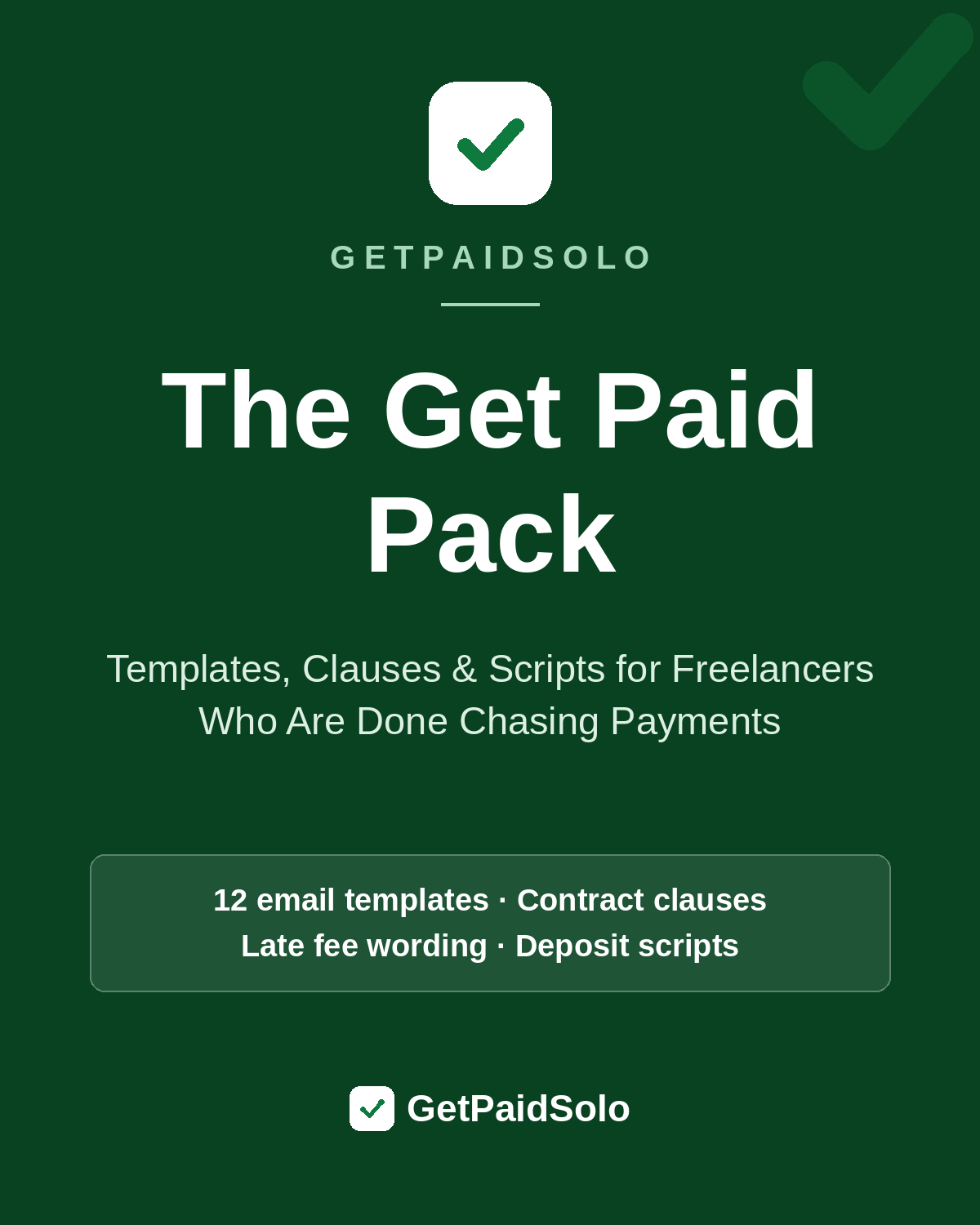
Want the whole system — all 12 templates, the contract clauses, late fee wording, and deposit scripts? That's The Get Paid Pack.
FAQ
Is there invoicing software with automatic reminders that's actually free? Yes. Zoho Invoice includes automated reminders on its free plan (up to 500 invoices a year). Wave's invoicing is free too, but its automatic reminders require the $19/month Pro plan.
How many reminders should an invoice get? Three covers most cases: one a few days before the due date, one on it, and one about a week after. Xero allows up to five if you want a longer sequence. More than that, and a direct conversation works better than another email.
Do automatic late fees actually help? They help when the client agreed to them in advance — in the contract or the invoice terms — and when the reminder mentions them before they land. A surprise fee damages the relationship and is hard to enforce. A fee that was in the signed terms is just a policy applying itself.
Can these tools send reminders by text message too? Mostly, reminders are email. Some tools and add-ons offer SMS in some regions and plans, but it changes often — check the tool's current pricing page if text reminders matter to you.
What if I only send one or two invoices a month? Use Zoho Invoice free, or even a calendar reminder and a saved email template. A paid tool earns its subscription when the volume — or the awkwardness — makes you skip follow-ups you'd otherwise send.
Steal the exact words
Free sample: 3 late-payment email templates + the invoice checklist that gets invoices paid right the first time.
Want the whole system — all 12 templates, the contract clauses, late fee wording, and deposit scripts? That's The Get Paid Pack.
Read next
Unpaid Invoices at Year-End: How to Collect Before December 31
Still owed money as the year ends? A week-by-week plan to collect before December 31, with three copy-paste reminder emails.
Late Payment Statistics for Freelancers (2026)
How often freelancers are paid late, how late they run, and what the chasing costs — every figure sourced from named studies and platform data.
How to Write an Invoice That Gets Paid Faster
The anatomy of an invoice that gets paid on the first ask: exact due dates, itemized lines, one-click payment, and the wording the data says works.